Tools & solutions
Company Expense Management: How ScanCompta's Business Workspace Compares to Legacy Accounting Software
When Damien hired his first four field technicians for his HVAC company near Bordeaux, he wanted to start right. He signed up for a well-known US expense management app. Three weeks later, nobody on the team was opening it. Too many menus. Too many mandatory tags. And a monthly bill clearing €90 before the bookkeeper had even reconciled one fuel ticket.
Within forty-eight hours, paper receipts were back in the glovebox.
We see this exact scenario play out across French and European SMEs every single week. Once a business grows beyond a solo founder — adding field reps, site supervisors, drivers, or regional branches — you get trapped between messy spreadsheets and bloated enterprise suites. That is why we built ScanCompta's Business Workspace: real company pre-accounting rigour without the ERP headache.
Why have traditional expense tools become bloated traps for small and mid-sized businesses?
Quick answer: Most SMBs face two awkward extremes: US per-seat expense platforms (Expensify, SAP Concur, Spendesk) requiring weeks of setup and per-user fees, or heavy pre-accounting tools (like Dext from €40–60/month minimum) built for chartered accountants rather than field staff snapping receipts from a van.
Take an honest look at what the market currently offers.
On one side sit the US enterprise heavyweights and corporate card fintechs — Expensify, SAP Concur, Spendesk. Built for finance departments running five-tier approval chains, they bill per active seat and demand days of onboarding before a single ticket scans cleanly. Our breakdown of an Expensify alternative tailored for France shows quickly where those platforms trip over French VAT and statutory mileage scales.
On the other side sit legacy bookkeeping add-ons built primarily for chartered accounting practices. Tools like Dext start around €40 to €60 per month — and drop your site manager into dense menus packed with accounting terminology. Whether you're evaluating a Dext and Receipt Bank alternative or a Pennylane alternative for leaner businesses, you frequently end up paying for full banking or invoicing modules your CPA already handles on their own software.
Back in the field, the result never changes. Employees ignore the app. Receipts arrive via WhatsApp at 10 PM on Sunday. And the business owner ends up retyping half the month manually.
Smart Folder architecture: Employee, Corporate Card, Branch, or Project
Quick answer: ScanCompta's Business Workspace organises team spending in seconds using four smart folder types: Employee / Sales Rep (`421-MARTIN`), Payment Card (`CB-4521`), Branch / Site (with instant official French SIRET lookup), and Custom Folder for specific projects, clients, or construction sites.
A real company does not dump every receipt into one generic inbox.
As a founder or operations manager, you need immediate answers to four separate questions: what you owe Paul in reimbursements, what hit van number two's corporate card, how the Lyon branch compares to Marseille, and which pass-through costs belong to the Dupont site. Instead of forcing field staff to pick six cost-centre tags per fuel stop, ScanCompta's Business Workspace structures everything cleanly across four folder types:
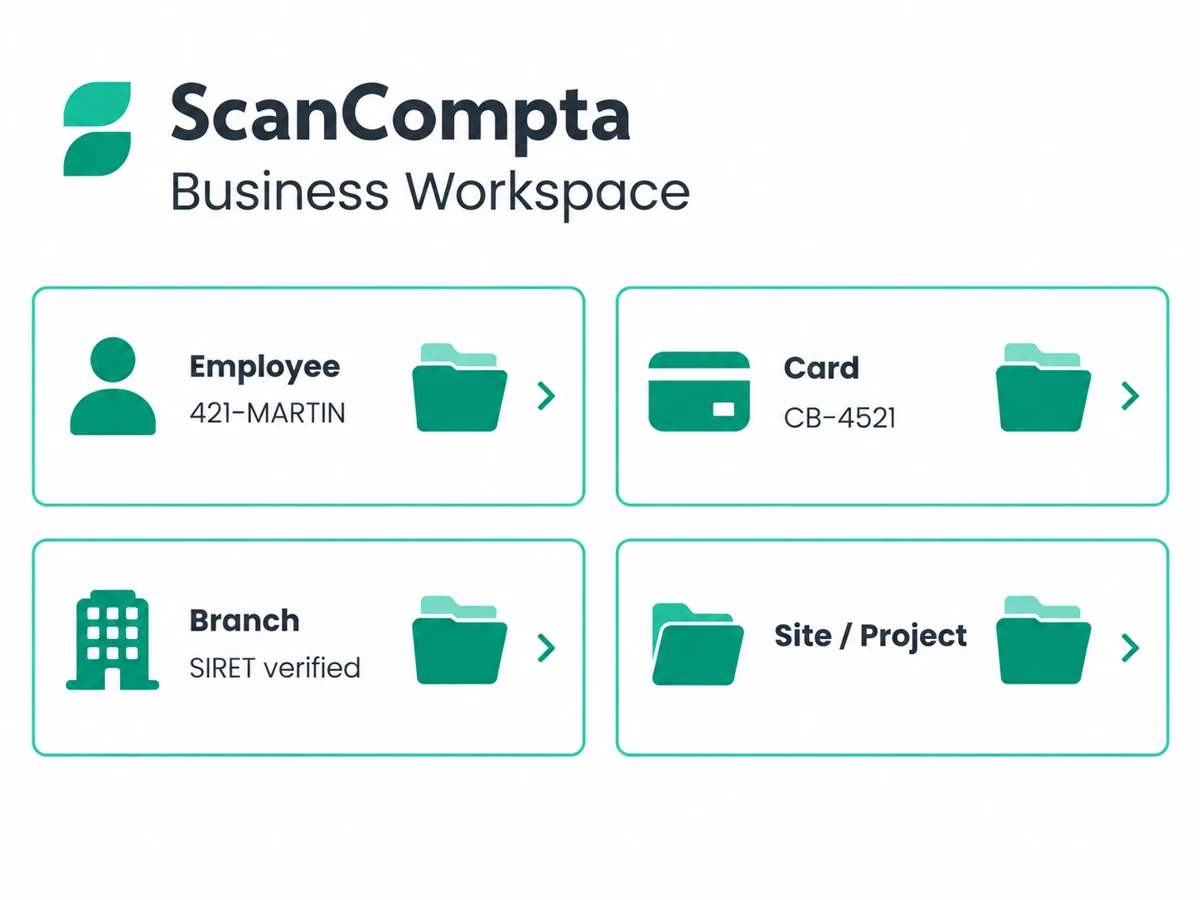
- Employee / Sales Rep Folder (`👤`): every team member paying out of pocket gets their own folder, linked once to their subsidiary ledger code (e.g. `421-MARTIN`) and dedicated journal (`NDF`).
- Corporate Payment Card Folder (`💳`): stop mixing personal reimbursements with direct company card charges. Link each corporate card folder to its card reference (`CB-4521`) and ledger code (`401-CARTE-01`) so monthly bank matching takes minutes.
- Branch / Establishment Folder (`🏢`): operating multiple retail shops, depots, or offices in France? Enter the SIRET number during folder setup — ScanCompta calls the official French Government Annuaire des Entreprises API to validate the branch live and auto-complete its registered company name and address. Zero typos.
- Custom Project Folder (`📁`): ideal for isolating expenses by construction site, billable client engagement, trade show, or seasonal project.
Sub-User access: employees scan in 5 seconds, management keeps total control
Quick answer: When invited by email to their assigned folder, an employee sub-user logs into a stripped-back 5-second scanning interface. They see strictly their assigned folder and authorised vehicles — never colleagues' expenses, company subscription billing, general ledger codes, or CPA export tools. Zero training required.
Here is the real workflow gap between legacy software and ScanCompta.
Standing at a motorway petrol pump in the rain, your field engineer does not care whether diesel hits account `606140` or `625100`. Nor should they ever stumble across a colleague's expenses or your company's supplier invoices.
Inside ScanCompta's Business Workspace, the manager sends a quick email invite and pins the sub-user strictly to their folder (or two assigned folders, such as their personal claim folder `👤` and their company van card `💳`).
From the employee's phone, the experience stays deliberately simple:
- Open the camera, snap the receipt in five seconds — amount, date, merchant, and VAT rate extract automatically.
- View only their assigned folders and only the pool or personal vehicles they are cleared to log mileage against.
- Zero access to other employees' folders, company subscription billing, sensitive chart-of-accounts mapping, or accounting export buttons.
- Zero risk of accidentally breaking a VAT setting or changing a ledger code.
Back at the office, every receipt lands in one live dashboard. You filter by branch, verify totals in seconds, and export cleanly — without chasing anybody via text message on the 28th of the month.
Fleet vehicles, multi-rate VAT & duplicate guard: what ScanCompta simplifies effortlessly
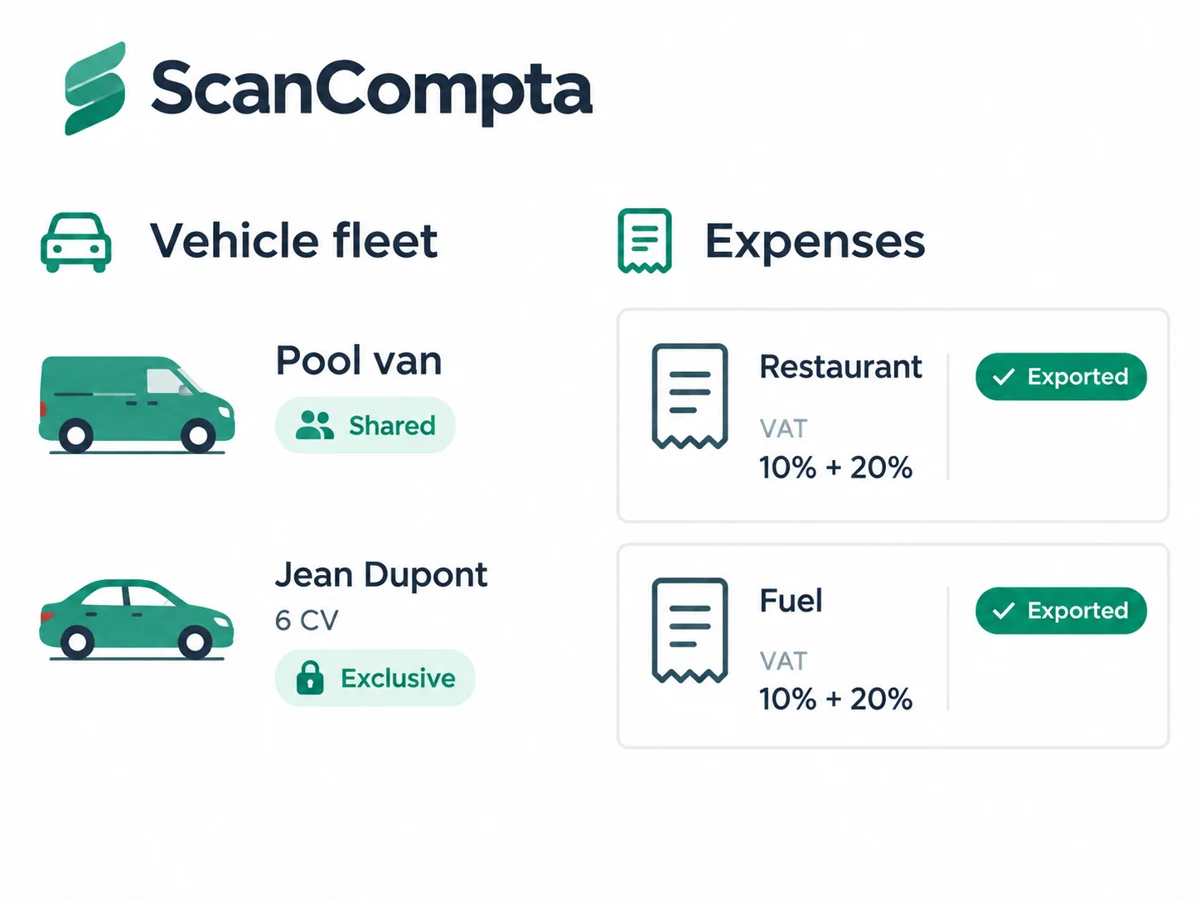
Quick answer: The Business Workspace includes full vehicle fleet management (shared or employee-exclusive vehicles with automatic 2026 French mileage scales for cars, motorcycles, and mopeds), native split French VAT (10% + 20%, overseas DROM-COM, Corsica), non-deductible VAT toggling, and automatic `✓ Exported` duplicate export tracking.
An expense platform engineered in California rarely understands French tax compliance. We built ours from the ground up around DGFiP audits, CA3 VAT returns, and the official mileage allowance scales published by impots.gouv.fr.
Three built-in safeguards set daily operations apart:
1. Shared & exclusive fleet tracking with 2026 French mileage scales. Register shared pool vehicles usable across your team (such as a branch service van) alongside exclusive vehicles tied to one specific employee. Whenever staff log a trip, ScanCompta calculates the exact allowance under the official 2026 French fiscal mileage scale (cars, motorcycles, mopeds by fiscal horsepower) — or your custom €/km policy. If you are weighing vehicle policies, compare mileage allowance vs actual costs in 2026 or test our 2026 French mileage allowance calculator.
2. Native French & overseas VAT edge cases. Business dinner receipt showing 10% food VAT and 20% wine VAT on the same slip? Two clicks split both VAT lines cleanly inside one entry. Operating in Martinique, Guadeloupe, or Réunion (8.5% / 2.1%), or Corsica (13%, 10%, 2.1%, 0.9%)? Every statutory territorial rate is already loaded. And for non-deductible employee hotel stays, unticking "Deductible VAT" automatically posts the full gross amount into expense with €0 input VAT.
3. Zero duplicate accounting exports. Plenty of managers run a mid-month CSV export on the 15th to track cash flow, then accidentally re-export the whole month on the 30th — booking the first fifteen days twice. In ScanCompta, exported items receive a timestamped `✓ Exported` badge, while a one-click filter exports strictly unexported receipts next time. Clean. Audit-proof.
Comparison table: ScanCompta Business Workspace vs Dext, Expensify, and Excel
Quick answer: Across the six essentials for French SMEs — five-minute setup time, stripped-back field sub-user usability, full PCG ledger mapping, 2026 mileage rules, flexible raw or Debit/Credit exports, and transparent fixed pricing — ScanCompta removes both expensive per-seat software fees and manual Excel spreadsheet rework.
Let's be real: your field team gets an app they will actually open, your finance workflow stays independent of per-seat inflation, and your CPA imports balanced files without extra cleanup fees.
Stop paying enterprise pricing for software your field staff refuses to touch. Invite your first team member and set up your Business Workspace folders in five minutes.
| Comparison criteria | ScanCompta Business Workspace | Dext (Receipt Bank) | Expensify / Spendesk | Traditional Excel spreadsheet |
|---|---|---|---|---|
| Setup & rollout time | 5 minutes (folders + live SIRET API) | Moderate (often needs CPA setup) | Slow (complex approval workflows) | Fast day one, slow every month |
| Field employee UX | Streamlined 5s scan (isolated folder) | Busy UI built for bookkeepers | Heavy for non-finance staff | No native mobile OCR |
| PCG ledger & journals | Built-in (categories + `421` / `401` + journals) | Built-in (firm-centric setup) | Rigid or US-centric chart mapping | Manual (high coding error rate) |
| Fleet & 2026 mileage | Native (shared/exclusive + 2026 scale) | Absent or very basic | Partial (often lags French scales) | Manual formulas updated yearly |
| Accounting export format | Dual choice: Clean Raw CSV OR balanced Debit/Credit + ZIP | Firm-formatted exports | Proprietary exports or costly syncs | Full manual retyping by CPA |
| Monthly cost for SMEs | Fixed transparent pricing built for SMEs | Typically €40–60+/month floor | High per-active-seat billing | "Free" software, 5–10 hrs wasted/mo |
Article updated on 16 November 2026 reflecting French tax rules, 2026 mileage allowances, and VAT regulations across Mainland France, Corsica, and DROM-COM territories.
Business Workspace: up to 3 collaborators included with Pro. Contact support for a larger team.
The stray-receipt challenge
Curious how the AI handles it? Take a photo of the receipt lying on your desk and test the extraction in 2 seconds, no account needed.
Try the scan live
No account needed. Nothing is stored.
No account needed. Nothing is stored.
Frequently asked questions
What does an invited employee sub-user see in ScanCompta?
Only their assigned folders and authorised vehicles. They never see colleagues' expense claims, company billing, general ledger mapping codes, or CPA export controls.
How does SIRET auto-completion work for branch folders?
When creating a Branch (`🏢`) folder, type the French SIRET number or company name. ScanCompta checks the official French Government Annuaire des Entreprises API live to verify the entity and fill in its registered name and address automatically.
Can we track both shared company vans and employee personal cars?
Yes. Configure shared pool vehicles accessible team-wide alongside exclusive vehicles linked to individual staff members. Mileage trips calculate automatically using the 2026 French fiscal scale or your custom €/km rate.
How does ScanCompta compare against Dext, Expensify, or Spendesk?
Dext primarily targets accounting firms (starting around €40–60/month), while Expensify and Spendesk bill per seat with heavyweight enterprise menus. ScanCompta gives field staff a five-second capture app, native French VAT handling, and balanced Debit/Credit exports at SMB pricing.
Test ScanCompta's OCR with your own receipts
Snap a crumpled receipt, a fuel invoice or a restaurant bill: the AI extracts the date, the amount and the VAT in two seconds. 5 free scans a month, no card required.

About the team
The ScanCompta team
ScanCompta designs simple tools to help French freelancers, tradespeople and self-employed professionals manage expense reports and accounting receipts effortlessly.
Discover ScanCompta →Questions & comments
A question about this guide? Ask below — I answer personally within one business day.
- J
Julien
If I lose a €9 toll receipt, can I still claim it with just a bank statement?
ScanComptaAuthorYes — for a small amount, a bank statement plus a signed statement is usually accepted. You cannot reclaim VAT without the original receipt though.
- S
Sonia
Do I need to keep the paper receipts after scanning them with your app?
ScanComptaAuthorNo. If the scan is a faithful and durable copy, the digital version is enough. We store everything for 10 years for you. Order of 22 March 2017 on reliable copies