Practical guides
Switching Accountants: Why You Risk Losing Access to Your Receipts (and How to Avoid It)
Karim, a freelance IT consultant working in Paris and London, decided to switch accounting firms last spring. Fees had crept up 40% over three years. The response time was getting worse. An obvious call. What he hadn't anticipated: the day after sending his termination notice, the firm's receipt scanning portal was suspended. Two and a half years of hotel invoices, toll receipts, and client dinner bills — all locked behind a login that no longer worked.
Not technically stolen. But completely inaccessible.
Switching accountants or bookkeeping software is entirely normal. It happens when fees go up, when the relationship cools, when you move country, or when you simply want a more modern approach. But there is a trap almost nobody sees coming: what happens to the hundreds of expense receipts, invoices, and supporting documents you uploaded to their proprietary platform?
The Vendor Lock-in Trap: When Your Receipts Get Held Hostage
Quick answer: Many accounting firms provide or impose their own receipt scanning app (Dext, Hubdoc, or a proprietary portal). These platforms are contractually tied to the firm — not to you. Upon termination, access can be cut off within 24 to 72 hours.
Honestly, this is the most poorly explained risk in the accounting services market.
Your firm suggests an app to scan your receipts. Convenient, free (or bundled into the fees), easy to get started. What nobody explains clearly when you sign: that portal belongs to the firm, not to you.
What does that mean in practice? The day the relationship ends — for any reason — you can lose access to all your historical documents. And during a tax authority audit, you — the business owner — are legally responsible for producing the supporting evidence. Not your former service provider.
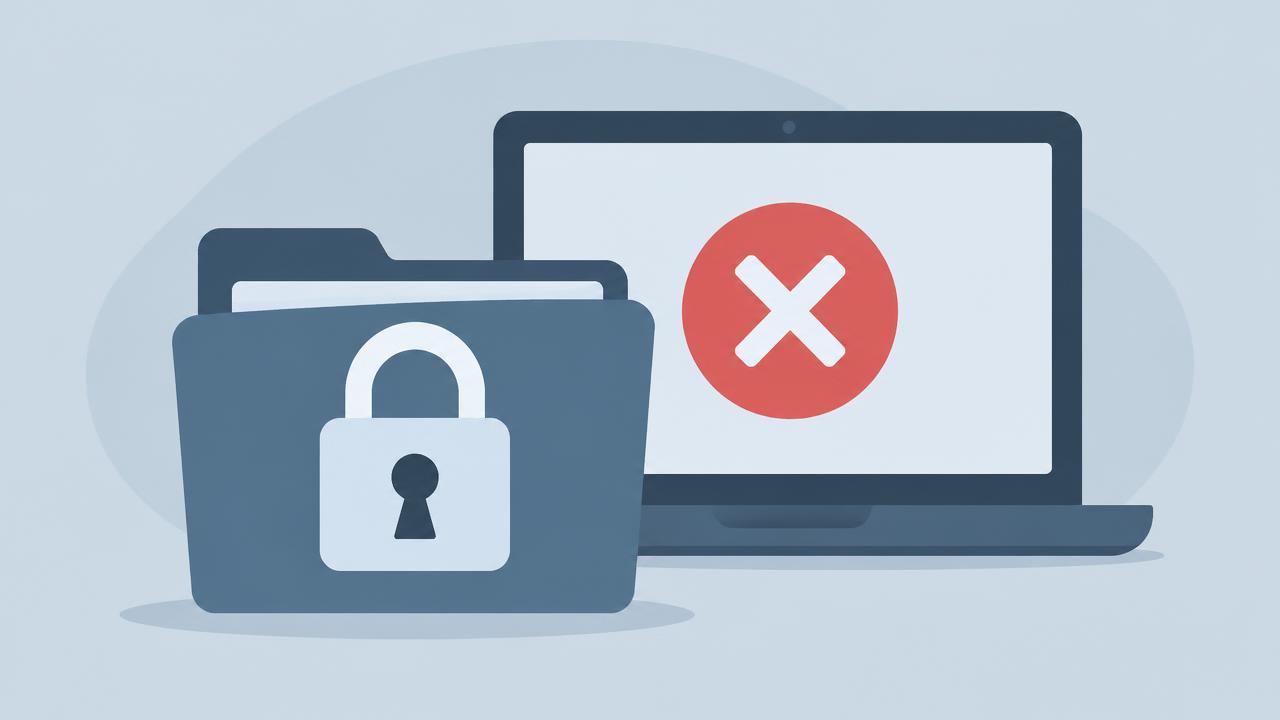
Tax authority investigations can cover the last 3 to 6 years. Your accountant may have changed twice in that period. And now you need that supplier invoice from four years ago to justify a deduction. Without portal access, it is gone.
Who Legally Owns Your Receipts During an Audit? (You do.)
Quick answer: The accountant has an obligation to return your documents, but the law doesn't specify the format or exact timeline. In practice, some firms charge "file closure fees" and only produce unstructured PDFs — useless for any modern accounting software.
The legal principle is clear in theory. In France, the Code of Ethics for Chartered Accountants requires the immediate return of all client documents upon termination of an engagement. But "immediate" and "in a usable format" are two very different things.
Here's what frequently happens in practice:
- The firm exports a summary PDF of your expenses. No structured CSV. No receipt images.
- Your receipt photos are stored on a server they control, in a proprietary format you cannot access.
- "File closure fees" appear on the final invoice — sometimes several hundred euros.
- When you ask for the raw files, the response is vague, slow, or simply absent.
Spoiler: even well-intentioned firms can find themselves genuinely unable to export your data cleanly because their own software doesn't easily support it.
The golden rule, and it's not applied enough: your expense receipts and supporting documents should be stored in a space you own 100%, independent from your accounting provider.
Under GDPR, your data belongs to you. Under French commercial law, so do your financial records. Nobody should be able to hold them from you.
The Solution: Decouple Expense Capture From Your Accounting Firm
Quick answer: Use a neutral, independent tool to capture, extract VAT from, and archive your receipts. Your accountant gets a universal CSV export. If you switch firms, your data stays intact — the new accountant gets the same standard export with zero migration friction.
This is the paradigm shift that actually protects you. And it's far simpler than it sounds.
There are two distinct functions in expense management:
- Receipt capture and archiving — scanning your receipts, extracting VAT, organising by folder.
- Accounting proper — chart of accounts, declarations, annual reports — your accountant's domain.
There is no reason these two functions need to live on the same proprietary platform controlled by a third party.
With [ScanCompta](/en), the logic is different: you own your space. You scan receipts directly from your phone, the AI extracts the amount and VAT rate, and your supporting documents are archived on your personal account. Change accountants tomorrow — zero impact. Your full history stays intact. You export a clean CSV and a ZIP of photos to the new firm in one click.
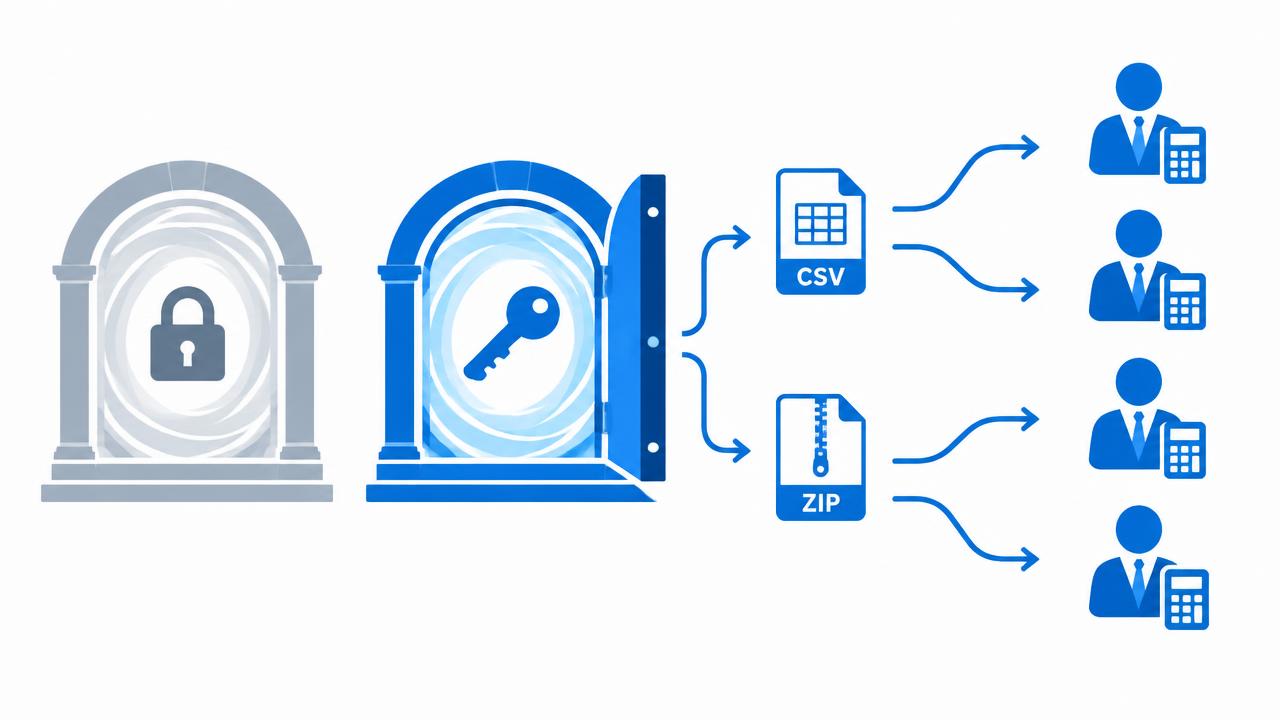
Your new accountant receives a universal file — CSV plus ZIP — that any bookkeeping software can read. They won't impose a migration to their own suite. The standardised export format is the same structure expected by accounting firms across France and internationally.
Transition Checklist: How to Switch Accountants Without Losing Historical Records
Quick answer: The process is short — but the order of steps matters. Never send your termination notice before downloading your archives. One forgotten export can mean years of receipts gone permanently.
If you are considering a switch — or even if it is not on the immediate horizon — here are the four actions to take now. Not in six months.
Step 1 — Download everything before sending your notice. Before writing a single termination letter, log into your firm's portal and download every export and every receipt image. Every period. Every folder. This is the most important step on this list. Full stop.
Step 2 — Store those archives somewhere you control. An external hard drive, personal cloud storage (Dropbox, Google Drive), or ScanCompta. Not on a work laptop you might return one day.
Step 3 — Centralise your future expenses on an independent tool. Starting this month, scan your receipts with a neutral app. The moment you separate capture from your accounting firm, you are protected against any future lock-in — regardless of which firm you use next.
Step 4 — Send a clean file to your new firm. A structured CSV and an organised ZIP of receipts by month: that is the format every accountant expects. Not a folder of files named "IMG_20261015_143022.jpg".
Keep full control of your business records.
*Article written based on the French Code of Ethics for Chartered Accountants, the French Commercial Code, and HMRC guidelines, as applicable on 12 October 2026. For situations specific to your business structure, consult a qualified legal or accounting professional.*
The stray-receipt challenge
Curious how the AI handles it? Take a photo of the receipt lying on your desk and test the extraction in 2 seconds, no account needed.
Try the scan live
No account needed. Nothing is stored.
No account needed. Nothing is stored.
Frequently asked questions
Is my accountant legally required to hand back my documents?
Yes — in France, the Code of Ethics for Chartered Accountants mandates immediate return of all client documents. But format and deadline are not legally specified, which is why storing receipts exclusively on their platform is a risk.
Who is legally responsible for producing receipts during a tax audit?
You are. Not your former accountant. The business owner bears the legal burden of producing supporting documents, regardless of who held them previously.
How long do I need to keep expense receipts?
In France: 10 years from account closure (Article L123-22, French Commercial Code). In the UK: 5 years after the January 31 filing deadline for the relevant tax year (HMRC requirements).
Can I use ScanCompta alongside my current accountant?
Absolutely. ScanCompta is an independent archiving tool, not competing accounting software. Your accountant receives the same clean CSV and ZIP they would from any tool — and most firms appreciate the standardised format.
Test ScanCompta's OCR with your own receipts
Snap a crumpled receipt, a fuel invoice or a restaurant bill: the AI extracts the date, the amount and the VAT in two seconds. 5 free scans a month, no card required.
About the team
The ScanCompta team
ScanCompta designs simple tools to help French freelancers, tradespeople and self-employed professionals manage expense reports and accounting receipts effortlessly.
Discover ScanCompta →Questions & comments
A question about this guide? Ask below — I answer personally within one business day.
- J
Julien
If I lose a €9 toll receipt, can I still claim it with just a bank statement?
ScanComptaAuthorYes — for a small amount, a bank statement plus a signed statement is usually accepted. You cannot reclaim VAT without the original receipt though.
- S
Sonia
Do I need to keep the paper receipts after scanning them with your app?
ScanComptaAuthorNo. If the scan is a faithful and durable copy, the digital version is enough. We store everything for 10 years for you. Order of 22 March 2017 on reliable copies